VAYS MD Reader app icon VAYS MD READER · For Mac

Your AI writes Markdown all day. Read it beautifully.

A native macOS Markdown viewer and editor for the .md files piling up in your repos — CLAUDE.md, READMEs, specs, transcripts, plans. Real typography instead of source code. No Electron, no cloud — nothing ever leaves your Mac.

Coming to the Mac App Store Get notified at launch

A Markdown viewer built for the AI era.

Coding agents like Claude Code produce Markdown constantly: CLAUDE.md instructions, README files, migration plans, research notes, meeting transcripts. Code editors show them as raw source; browser-based tools ship an entire Chromium to display a text file. VAYS MD Reader is the missing piece — a fast, native macOS app whose only job is making Markdown a pleasure to read and easy to edit.

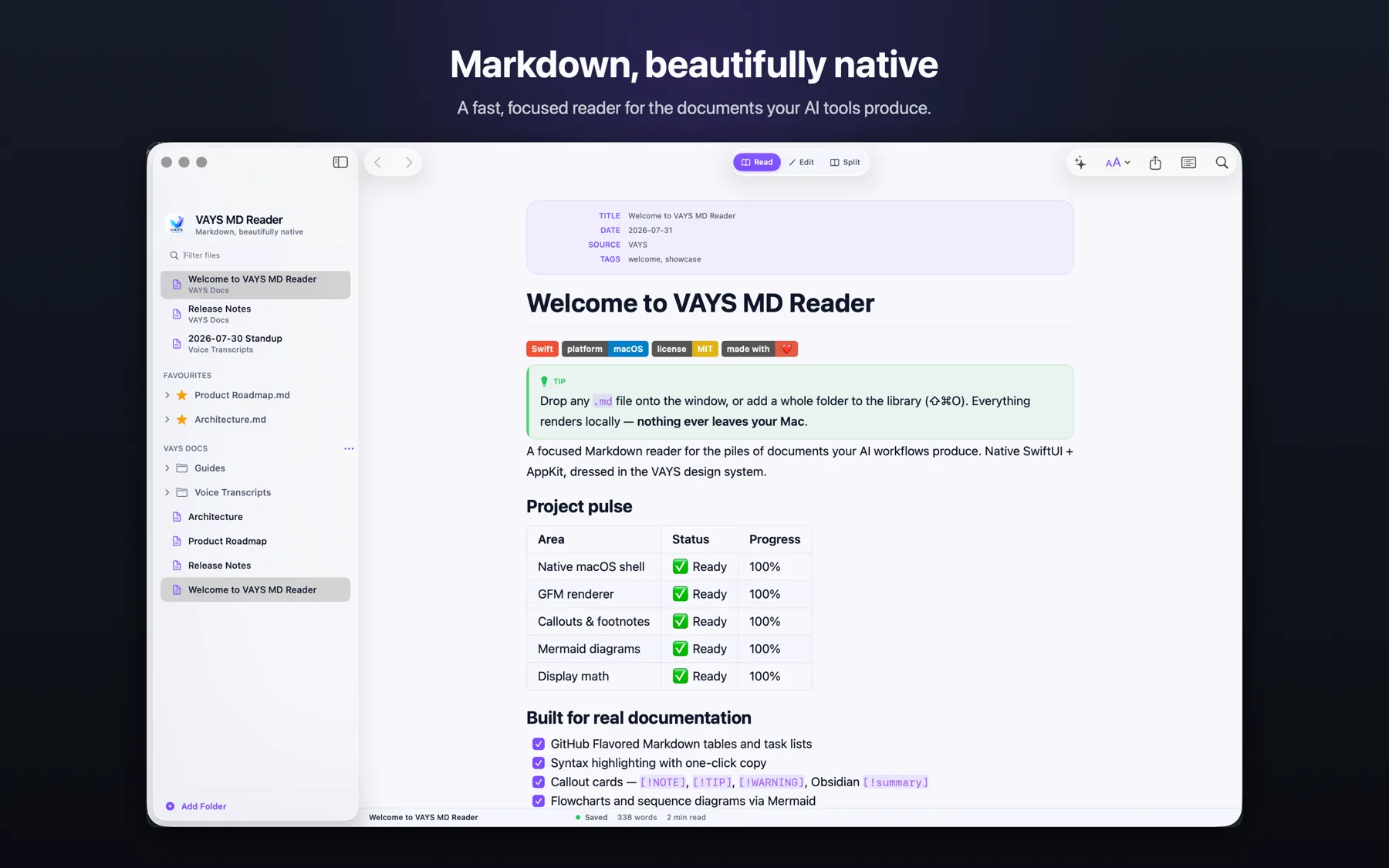
It renders GitHub Flavored Markdown the way GitHub does — tables, task lists, strikethrough, autolinks — and keeps going where most viewers stop: callout cards, footnotes, YAML front matter as a metadata card, shields.io badges drawn natively, LaTeX math typeset without a web view, and Mermaid diagrams rendered by an engine that ships inside the app, fully offline.

Everything in detail

Reading, done right

  • ✓ GitHub Flavored Markdown: tables, task lists, autolinks
  • ✓ Callout cards — GitHub [!NOTE] / [!TIP] / [!WARNING] and Obsidian [!summary]
  • ✓ Footnotes, front-matter cards, native shields.io badges
  • ✓ LaTeX display math typeset natively — no web view

Mermaid, offline

  • ✓ Flowcharts, sequence, gantt, class, ER, pie, mindmaps
  • ✓ The engine ships inside the app — zero network
  • ✓ Draw diagrams visually: drag nodes, connect arrows
  • ✓ The Mermaid source writes itself as you draw

A real editor too

  • ✓ Read / Edit / Split modes with live preview
  • ✓ Markdown syntax highlighting, autosave, native find
  • ✓ Insert gallery: tech badges, README emoji, snippets
  • ✓ External-change detection with conflict handling

Your whole library

  • ✓ Add a projects folder once, browse every repo as a tree
  • ✓ Favourites, collapsible sections, drag & drop
  • ✓ Quick open searches file names and file contents
  • ✓ Links between .md files open in-app, with history

Everywhere on your Mac

  • ✓ QuickLook: space bar previews any .md in Finder
  • ✓ Copy as rich text — paste into Gmail, Docs, Slack
  • ✓ PDF export, tabs, focus mode, reading progress
  • ✓ Live reload — watch your AI agent write in real time

Private by design

  • ✓ Zero network requests — verified, not promised
  • ✓ No account, no analytics, no crash SDKs
  • ✓ Files stay plain .md on disk, where they were
  • ✓ Sandboxed, hardened runtime, App Store reviewed

How it compares.

Free viewers show you the file. Editors want to own your notes. VAYS MD Reader sits exactly where AI-era work happens: reading first, editing when needed, everything local.

Capability VAYS MD Reader Free viewers Marked 2 Typora Obsidian
Native app, no Electronvaries
Mermaid rendered fully offlinevaries
Draw diagrams visually
GitHub + Obsidian callout cardsvaries~
QuickLook preview in Findervariesadd-on
Copy as rich text (Gmail, Docs)
Live reload for AI-agent workflowsvaries~
Reads your folders in place, no vault
No account, no telemetryvaries~
Zero network requestsvaries

Comparison based on publicly documented features, August 2026. Product names belong to their owners.

Made for AI workflows

Watch your agent write.

Open a document and let Claude Code keep writing — the reader re-renders on every save. Space-bar any .md in Finder for an instant themed preview, keep whole project trees in the library, and grep the contents of every repo with one shortcut. When the plan is ready, copy it as rich text straight into an email.

Part of the VAYS family — record a memo in VAYS, read the transcript in VAYS MD Reader; the inbox connects with one click. Same private-AI foundation, same rule: everything stays on your device.

Meet VAYS →
Questions

What's the best way to read Markdown on a Mac?

In a viewer made for it. VAYS MD Reader renders .md with real typography — and its QuickLook extension means the space bar previews any Markdown file straight in Finder, before you even open the app.

Do Mermaid diagrams really work offline?

Yes — the engine is bundled inside the app. Flowcharts, sequence diagrams, gantt, mindmaps: all render with zero network access. You can also draw flowcharts and sequence diagrams visually and the source is generated for you.

Does it work with Claude Code?

That's what it was built for. Open documents re-render on every save, so you watch the agent write in real time — CLAUDE.md, READMEs, specs, plans. Full-text search covers every repository in your library.

Is my data private?

Completely. No account, no analytics, no cloud, zero network requests. Files stay as plain .md on your disk — remove a folder from the library and the app never sees it again.

VAYS MD Reader

Read your Markdown the way it deserves.

Launching on the Mac App Store. One price, no subscription, private forever.

Coming to the Mac App Store Get notified at launch